
In Advanced Settings, you can configure whether the software should show a warning when a customer has not agreed to receive commercial communications (GDPR).

Directly from that warning message, you can access the client's file to view/modify the information regarding Privacy/GDPR.
To view or modify this, you just have to click on "View Details" or access to the customers file > Right menu > Privacy option.
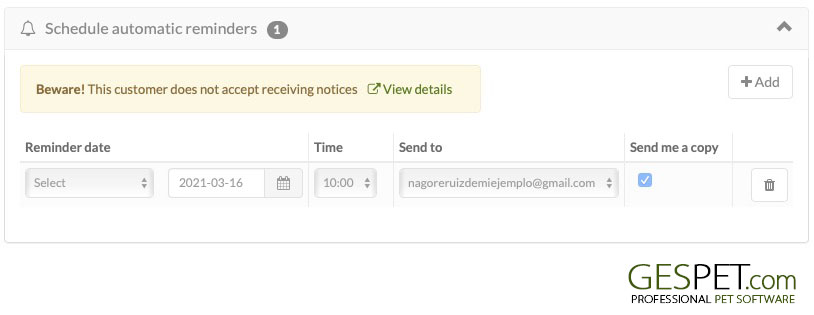
As you know, every time you send an email from the software (confirmation or cancellation of online reservations, reservation confirmation, invoice/ticket, automatic recall, etc.), 1 unit will be added to the emails consumed.
If you also want to send an email to your email address (checking the option "send a copy"), an email will also be sent to this address and another unit will be added to the emails consumed.
For more information, consult the Settings > Usage section.
You can see all the auto reminders in the View > Reminders option. Here you
will see its status (sent, scheduled, cancelled, error,...). If At the time
of sending the reminder to the customer, the software checks the credit of
available emails. If there is no credit available, the reminder will not be
sent and in the status you will see Error and the reason "You do not have
credit to send more emails".
For more information, check the section
View > Automatic reminders.
TAGS:
Automatic warnings Pet grooming | Automatic warnings dog grooming | Remember upcoming pet grooming appointment | Remember upcoming dog grooming appointment | dog grooming remember your appointment | pet grooming remember your appointment | Automatic warnings Pet training | Automatic warnings dog trainer | Remember upcoming pet school appointment | Remember upcoming dog school appointment