
The system is free and available for pet hotel, pet daycare, pet training, veterinary, and pet grooming.
Right from the start of working with Gespet, you have access to your online booking page to start using whenever you want.

Share it via WhatsApp, email, or anywhere you like
Share it or print it for your business, posters, and more

Add it to your bio or include it in your posts

Paste a code and it will appear instantly on your site
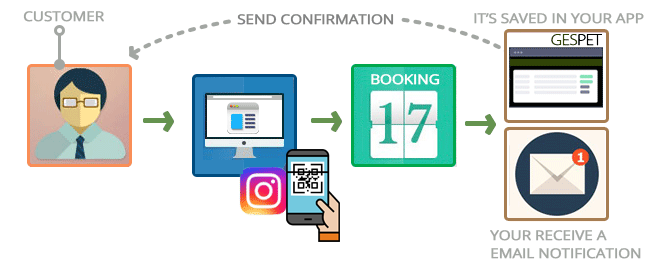
No complicated setup. No long processes. It’s this simple:
Share with your customers and receive requests
Accept or reject and send confirmation or cancellation in one click
Everything is saved automatically

See availability

Check pending payments


Contact your customer

Send cancellation if rejected

Send confirmation if accepted
Tips & suggestions
In confirmation messages, you can:
Remind customers of important information (e.g. required vaccines or rules)
Explain your cancellation policy
Include payment instructions if needed
Customize everything to fit your business
Quick and easy setup
With the CRM, Marketing & Communication module, you can create professional templates with auto-filled data in multiple languages.
Settings > Email templates > Service emails
Templates adapt automatically to your customer's language and can be edited before sending.
Without the module, you can still write messages manually.
Discover the CRM moduleYou decide which information you want to collect from your customers and their pets. For example, the phone number can be required, while WhatsApp can be optional.
They fill in their details, you receive the request, and that's where the
Gespet
magic begins.
You receive an email notification letting you know that a new request has been submitted, and everything is automatically recorded in Gespet. When you review it, you'll see all the information provided by the customer (which can be more or less detailed, depending on the information you've chosen to request).
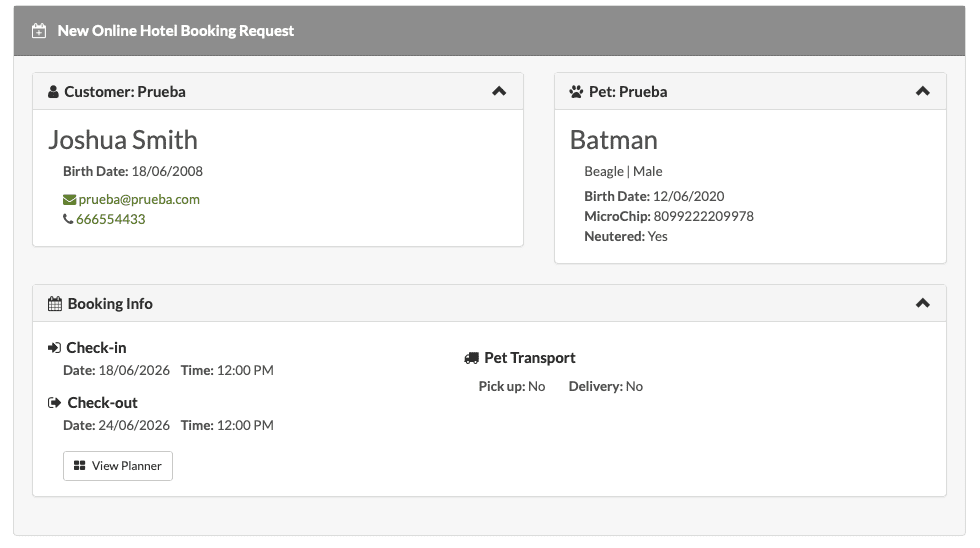
You don't need to search for the customer yourself. Gespet will automatically search your database and, if it detects that the customer already exists, it will display a notification.
You'll see this alert, and the customer will already be pre-selected. You can change it if necessary.
If the customer has multiple pets but has only requested a booking for one of them, only that pet will be selected, helping you avoid mistakes.
The dates and times are already selected for you, so you don't have to enter them manually. However, you can modify them if needed.
As always, Gespet will notify you if the customer has unpaid invoices, cancelled bookings, or previous no-shows.
As you can see, this saves you a tremendous amount of time.
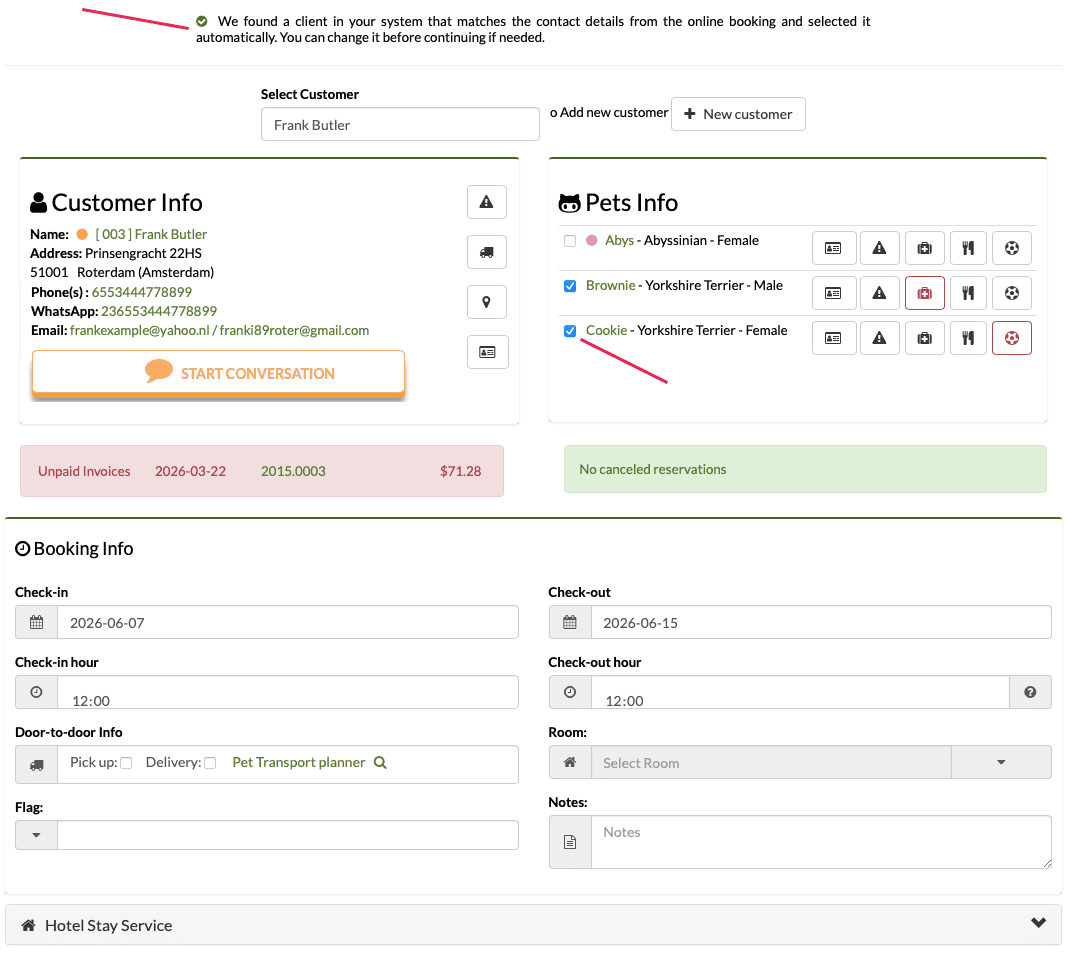
If no matching customer is found in your database when the request is received, you will see the following message:
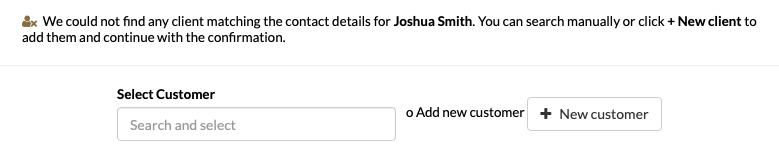
You can search manually or add the customer directly. Simply click on + New Customer, and all the information entered by the customer will already be included.
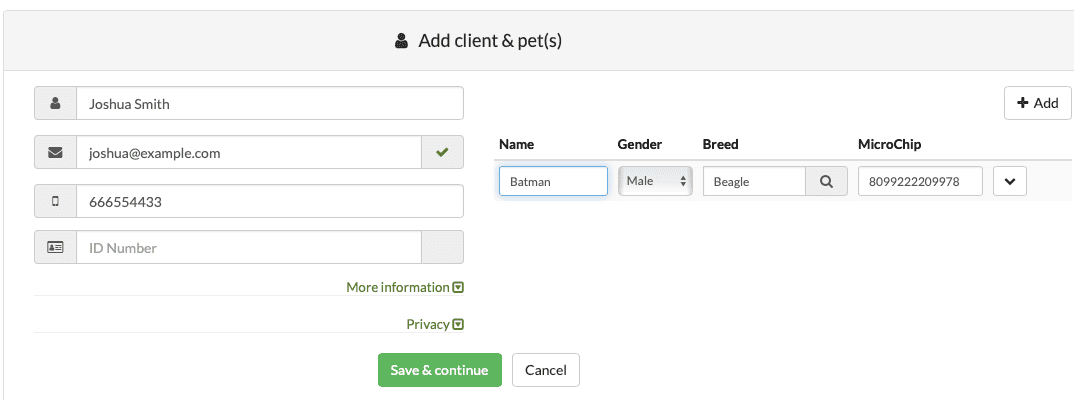
You can edit or add anything you need and:
The customer and their pets are automatically added.
The date and time information has already been completed.
You can make any necessary changes and, when you click Save, the new booking will be created. You can view it under VIEW > BOOKINGS.
Several buttons will appear at the bottom of the screen, including the Send Confirmation button, which allows you to send the booking confirmation directly to the customer.
TAGS:
pet hotel online booking | pet grooming online booking | animal hotel online booking | pet nursery online booking | pet training online booking| pet kennel online booking | pet grooming online appointment
Related Posts:
Online booking for Pet Grooming