

If you have just started working with the software, or if you have spent time managing it, you may not know some of the incredible features that it includes.
With this mini-tutorial we hope you can make the most of the software and help you even more with the management of your business.
When you add a new product, you look for it or add it to the ticket, you can manually write the code or use a scanner or barcode reader.
It is very easy to use the scanner. It is not necessary to make any additional configuration.
CPut the mouse cursor or click on the field where you want to insert the code (the search engine, or the barcode field when adding a new product)
the field is enabled
Scan the product code with the scanner
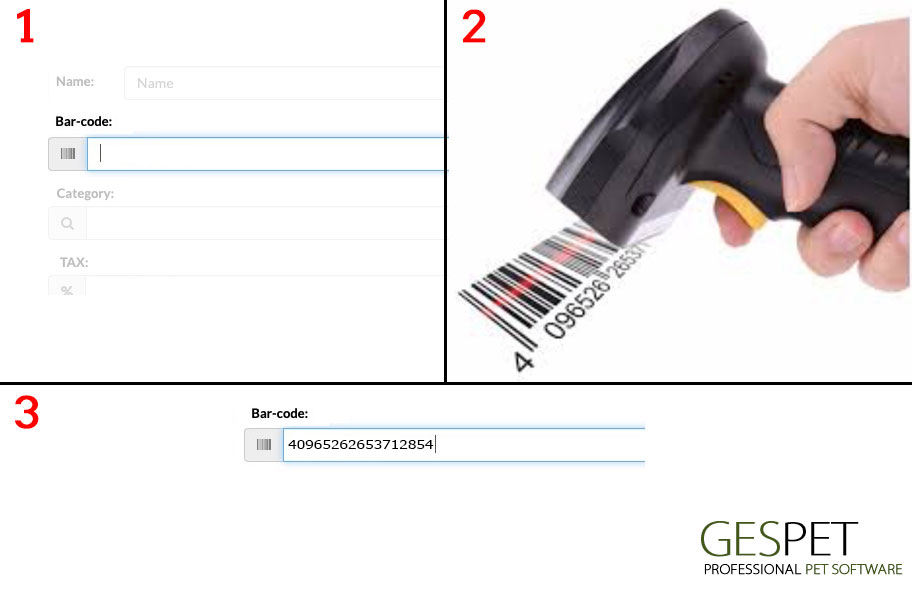
It is so easy and you do not need to exit the software.
If you click on the email address of a client, the email manager will open automatically with the address already selected to send an email to that customer.

If you type the address and click Save, the GoogleMaps map will appear with that address.
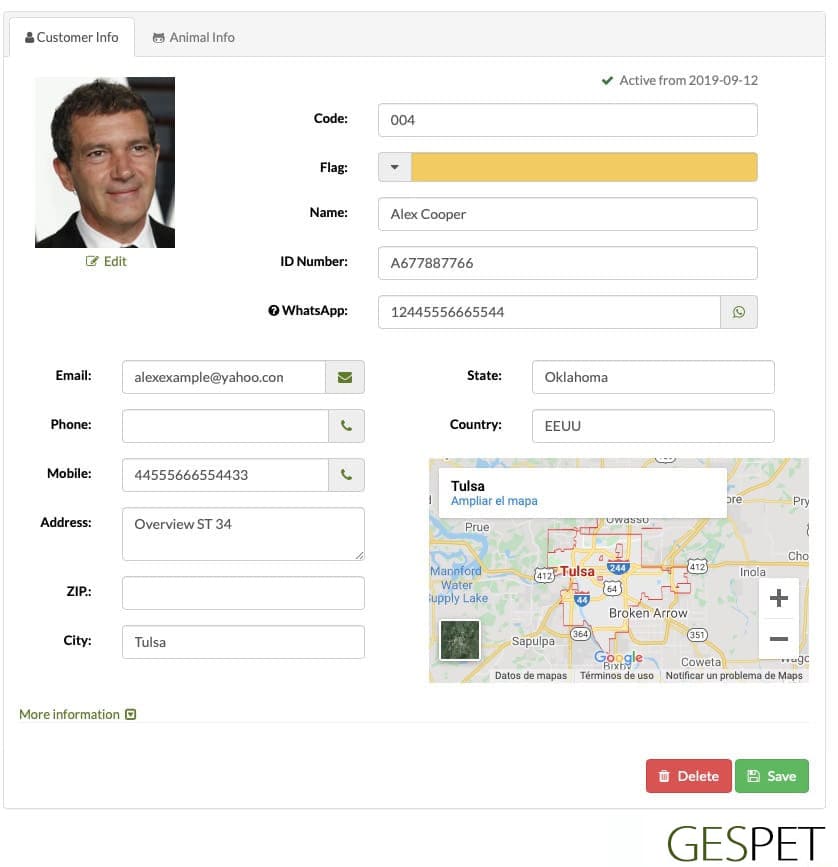
If the customer has an invoice pending payment, an alert box with the information will be displayed. In this way, before making a new reservation or service, you will see on that same screen if the client has pending payments.hotel

You can assign a color label to the booking if you want to identify it more quickly.
Color Labels: 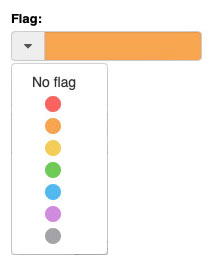
You can assign a color to quickly identify a
booking/check-in/service/etc. or a customer/animal/etc. For example:
|
If every time you do a new service you offer your clients legal or informative documents, service's conditions, data protection, exclusion of responsibility, ... you will know that it is not an easy task.
So that you do not forget any document, you do not have to search it on your computer, etc. .. you can configure the documents in the software and every time you make an entry, reservation or exit the corresponding documents will be displayed.
For example:
When you make a new Nursery booking, the "document of prior information and veterinary requirements"
When you make a Hotel check-in, the documents of "Conditions of stay" and "Legal conditions"
When you make a new sale, the document "Conditions of sale", ...
This is just an example, you can configure as many as you need.

The software includes auto-completion fields whenever possible, thus, just by starting to write a ZIP code, auto will fill the country an state if it's posible
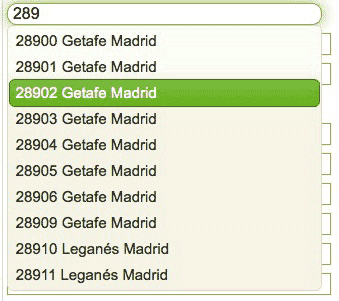
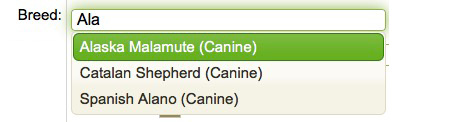
Just by starting to write a breed, all matches appear and you just have to select it. This is very easy since you do not have to write the complete breed and also avoid writing errors (for example Yorkshire, yorki, ..)
You can search an animal or customer with just insert 3 letters: You do not need to write Stephany, just write STE already appears
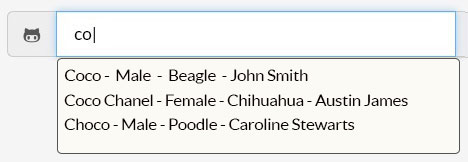
And also, you can do complex searches (using the + symbol), if you know, for example:
The animal is called Simpson and he is a Male
The animal is a Golden Retriever and its owner is called Anna
....

More information on ordering and search engines:
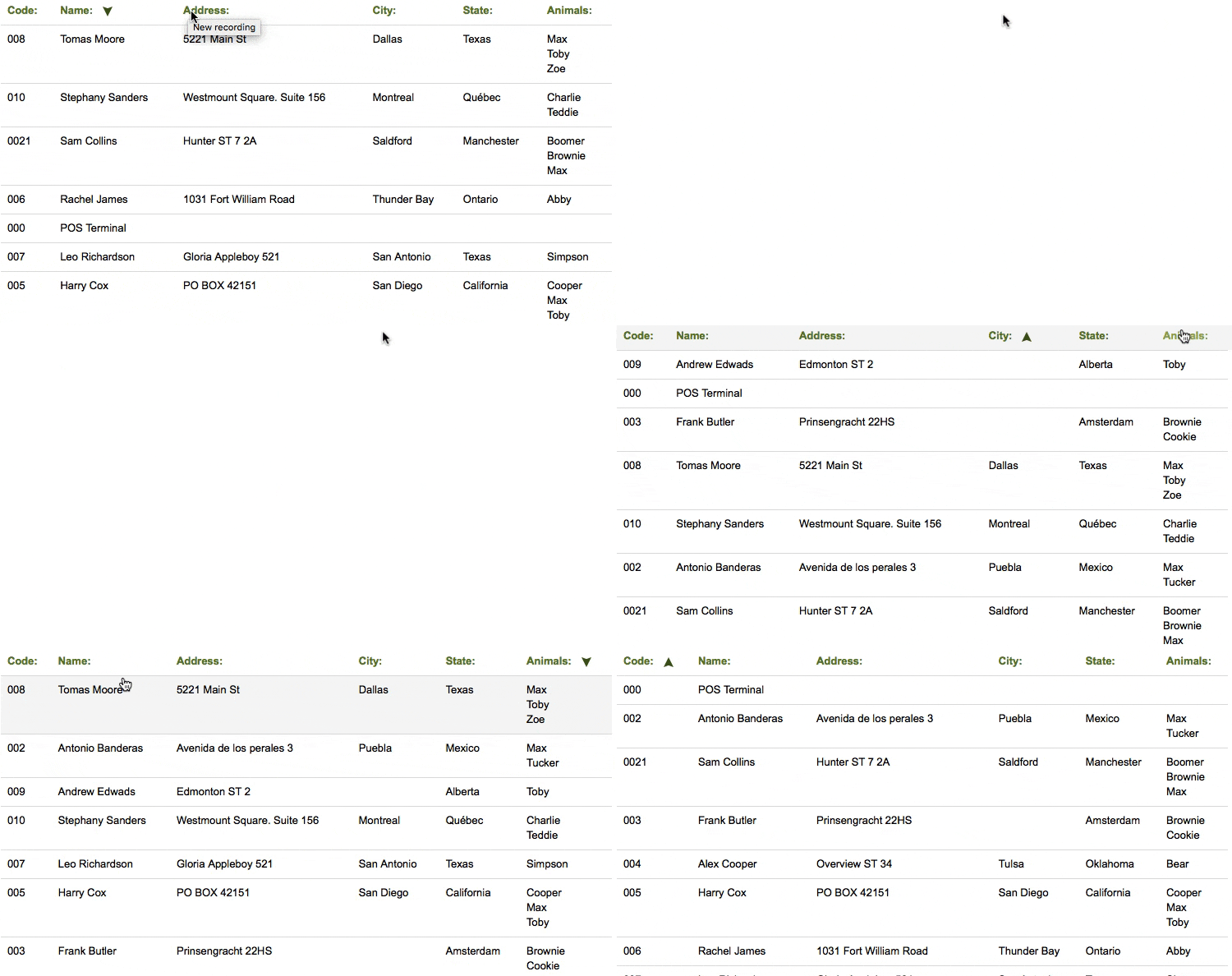
Click hereFor example, this list of clients is sorted Alphabetically by name, but you can change it and it is ordered by the address, location, ... simply by clicking on the corresponding field in the header of the table.
If you press again changes order: descending - ascending
In the Reports section, you can customize reports and data lists, generate
them, and even print or send them directly by email without leaving Gespet.
If you need to export the data, the Data Management section allows you to
export it in .xls format, so you can work with it as you prefer, create your own reports,
and more.
If you do not, you can use the app on any device, anywhere. For example:
You receive a call from a client, who wants to make a booking, while you are on your way to home: you can access from your mobile and write down that booking
You are at home and you want to check the agenda (or diary) for tomorrow before going to bed: you can use your home computer or your tablet, for example, to do it
It is not necessary that you are in your business. You can access from anywhere
Generate reports, calculate percentages, predict the evolution of the business using algorithms, ... are complicated tasks, but knowing that information is vital for you and for the proper progress of your business
Therefore, the software takes care of it and offers you all the information about your business, updated in real time and even the forecast and estimate based on the data from previous years.
You can quickly view for the selected day:
The number of sales (or tickets) for that day
The quantity of products (or units) sold
The money earned with sales
And the "average ticket" (the total money between the number of tickets, allows us to calculate this average ticket)

In addition, using the quick access buttons, you can directly access the options:
Make a new sale
View sales
View the products
View the "cash" and the Balance
From this same screen you can viewthe "cash":
The status: if it is open the indicator will appear the green color and if it is closed, in red color
If it is open, you will see the user who "opened the cash", the date and time.
note: Remember that you have to open the "cash" to start charging, make returns, etc.
In the product área, you can indicate which is the minimum stock for that product, and when you get off that level, the software will show you a notice.
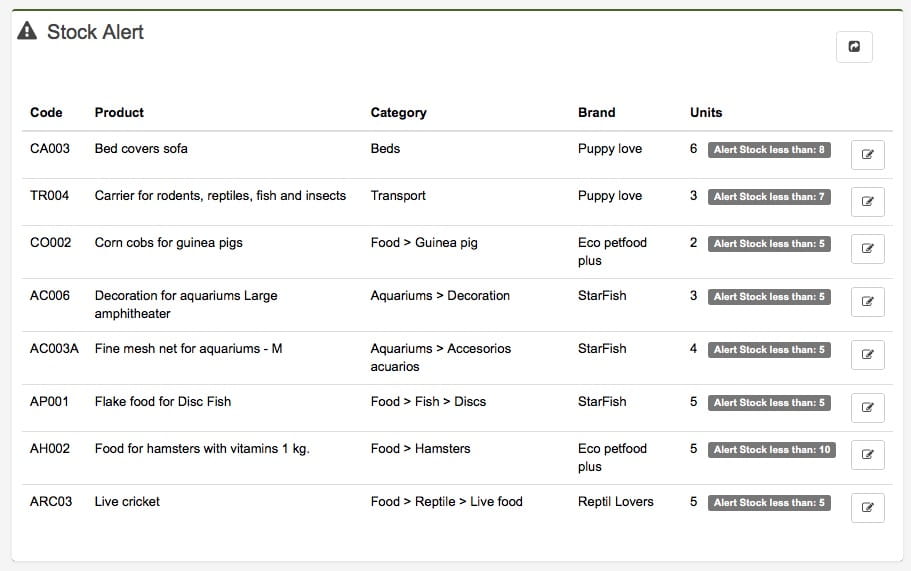
If you configure the stock alert in 10 units and right now you have 8 units left, an alert will appear, so you remember to buy that product.
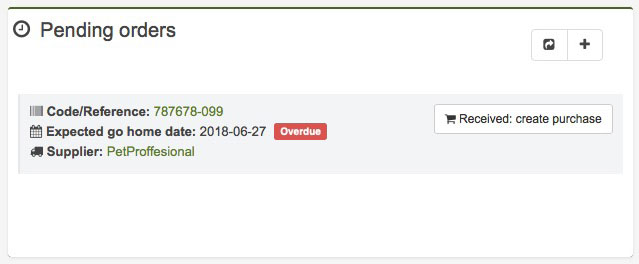
Also appear the orders with delivery scheduled for the selected day.
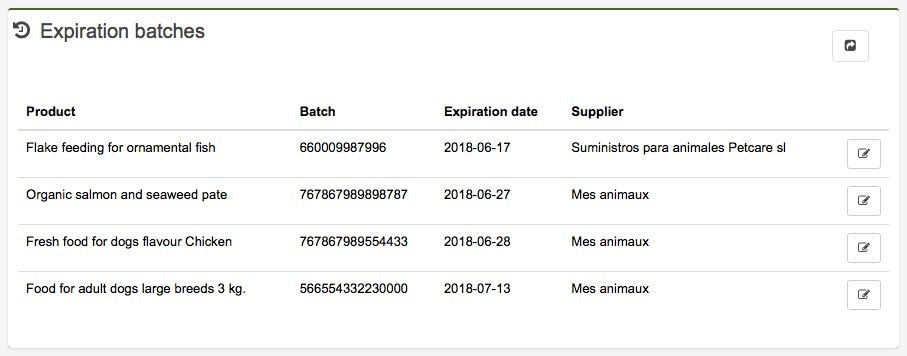
And the batches close to expire:
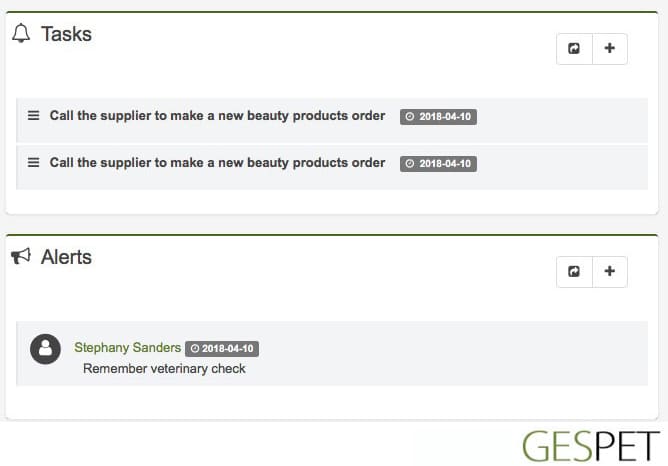
Show allevents, tasks and notices for that day with their priority, and any alert for customers, animals, suppliers, etc.
If you have to phone Frank next week, just include a alert, and the software will remind you on the day indicated.
>> more information about this