
Whether you have just started using Gespet or have been managing your veterinary clinic with it for some time, there may still be powerful features that can save time, improve client communication and help you organise daily clinical work better.
This practical guide is designed to help veterinary clinics, hospitals and pet healthcare businesses make better use of the software in day-to-day management.
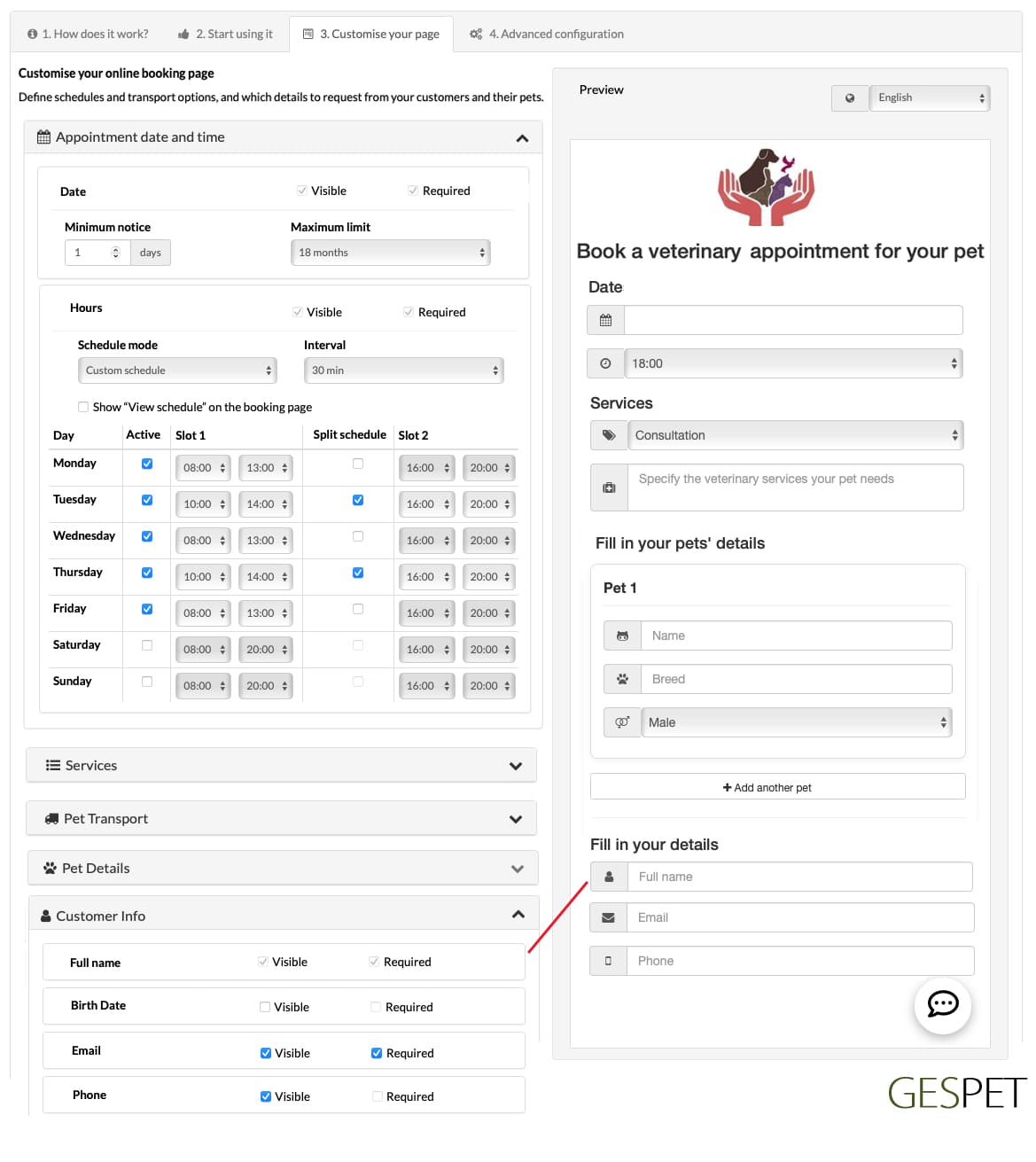
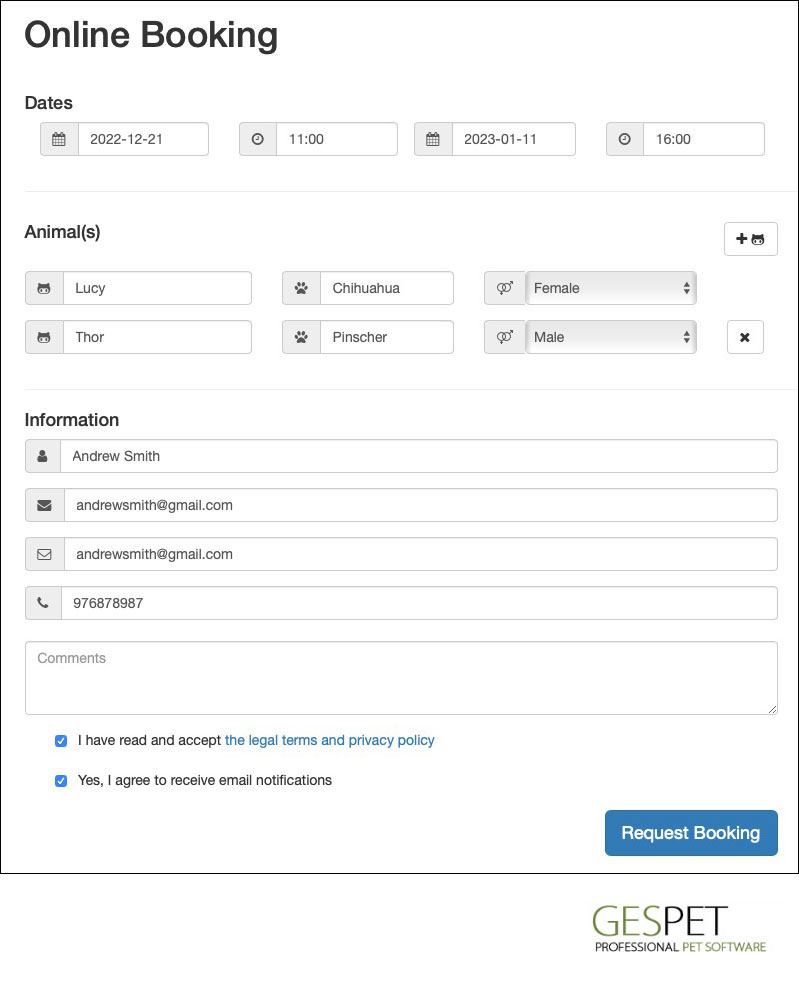
You can publish online booking options on your website, Facebook, Instagram or other channels so pet owners can request appointments with your veterinary clinic at any time.
Many pet businesses already use online booking to capture more appointment requests. If your clinic only receives requests during phone opening hours, you may be missing opportunities from clients who prefer to book online.
When a website lets clients request appointments online, users who are used to digital services are more likely to complete the booking request instead of postponing it.
It improves the professional image of your clinic and gives you a clear operational advantage: you do not lose an appointment simply because the client wanted to request it outside your phone support hours.
More information about the online booking system:
Click here More information about online booking for pet businesses
It is so easy and you do not need to exit the software.
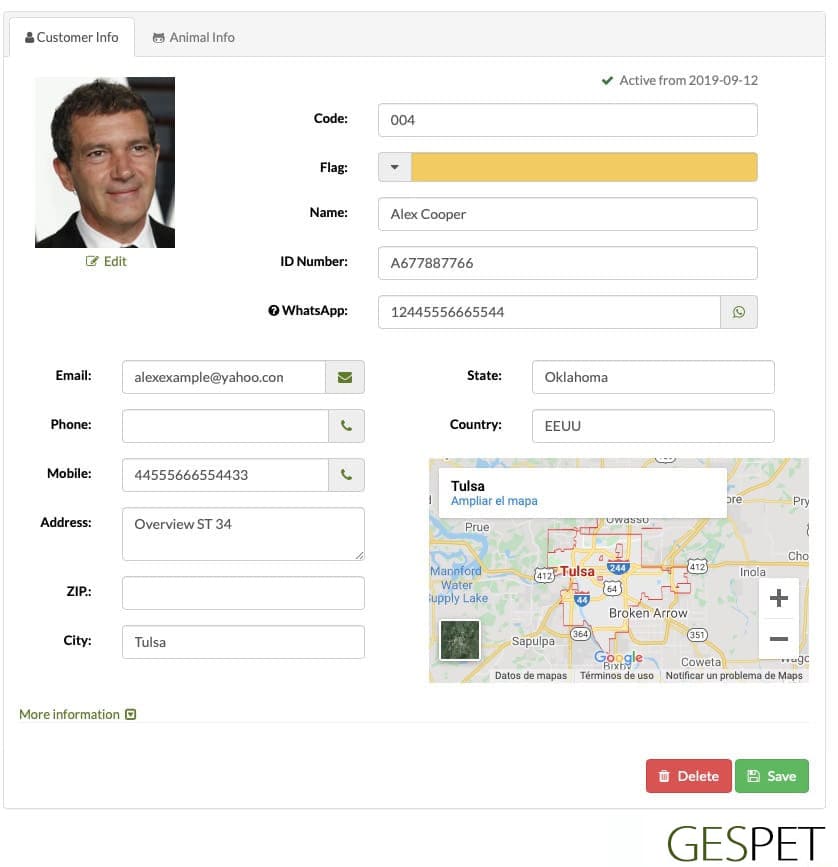
If you click on the email address of a client, the email manager will open automatically with the address already selected to send an email to that customer.

If you type the address and click Save, the GoogleMaps map will appear with that address.
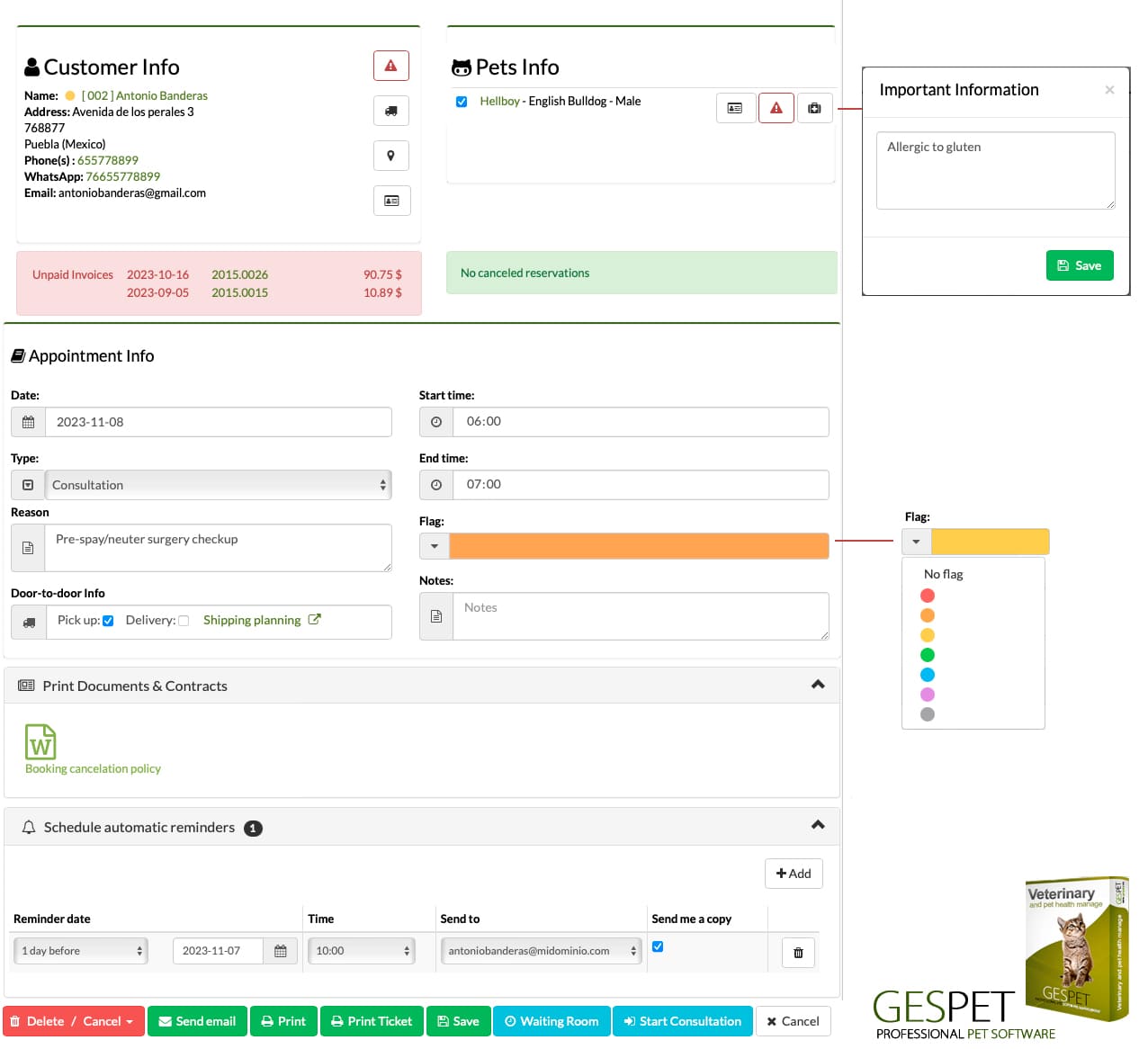
If the customer has an invoice pending payment, an alert box with the information will be displayed. In this way, before making a new reservation or service, you will see on that same screen if the client has pending payments.hotel

You can assign a color label to the booking if you want to identify it more quickly.
Color Labels: 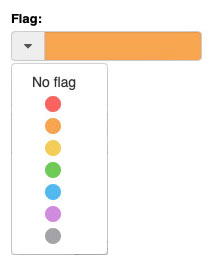
You can assign a color to quickly identify a
booking/check-in/service/etc. or a customer/animal/etc. For example:
|
If every time you do a new service you offer your clients legal or informative documents, service's conditions, data protection, exclusion of responsibility, ... you will know that it is not an easy task.
So that you do not forget any document, you do not have to search it on your computer, etc. .. you can configure the documents in the software and every time you make an entry, reservation or exit the corresponding documents will be displayed.
For example:
When you make a new Nursery booking, the "document of prior information and veterinary requirements"
When you make a Hotel check-in, the documents of "Conditions of stay" and "Legal conditions"
When you make a new sale, the document "Conditions of sale", ...
This is just an example, you can configure as many as you need.

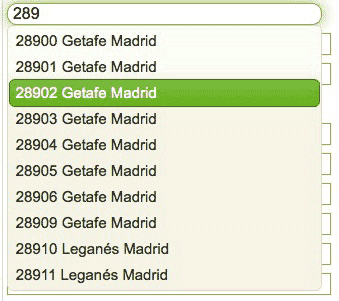
The software includes auto-completion fields whenever possible, thus, just by starting to write a ZIP code, auto will fill the country an state if it's posible
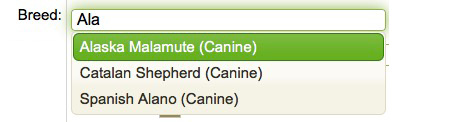
Just by starting to write a breed, all matches appear and you just have to select it. This is very easy since you do not have to write the complete breed and also avoid writing errors (for example Yorkshire, yorki, ..)
You can search an animal or customer with just insert 3 letters: You do not need to write Stephany, just write STE already appears
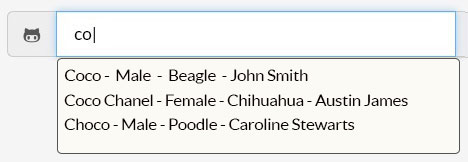
And also, you can do complex searches (using the + symbol), if you know, for example:
The animal is called Simpson and he is a Male
The animal is a Golden Retriever and its owner is called Anna
....

More information on ordering and search engines:
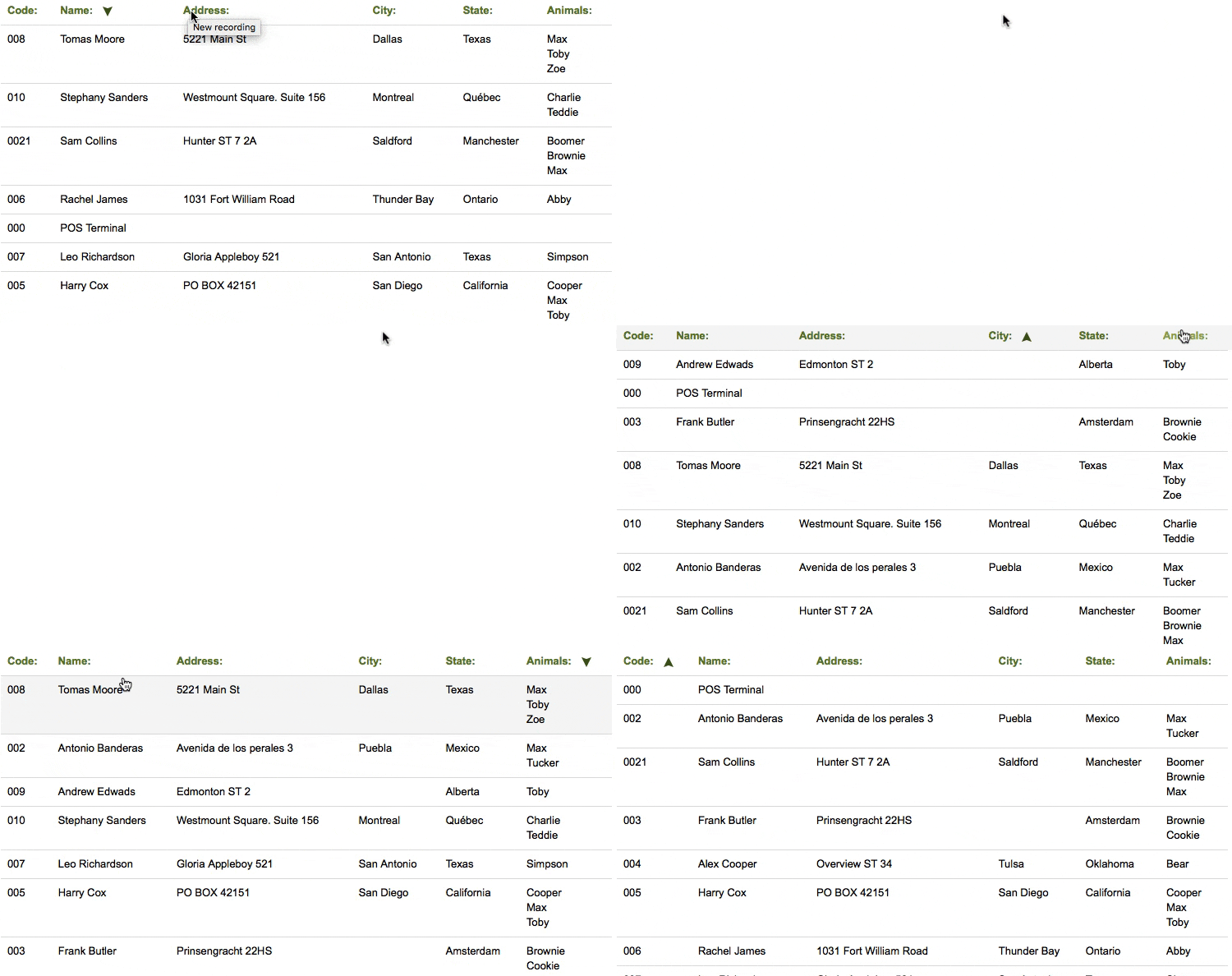
Click hereFor example, this list of clients is sorted Alphabetically by name, but you can change it and it is ordered by the address, location, ... simply by clicking on the corresponding field in the header of the table.
If you press again changes order: descending - ascending
In the Reports section, you can customize reports and data lists, generate
them, and even print or send them directly by email without leaving Gespet.
If you need to export the data, the Data Management section allows you to
export it in .xls format, so you can work with it as you prefer, create your own reports,
and more.
If you do not, you can use the app on any device, anywhere. For example:
You receive a call from a client, who wants to make a booking, while you are on your way to home: you can access from your mobile and write down that booking
You are at home and you want to check the agenda (or diary) for tomorrow before going to bed: you can use your home computer or your tablet, for example, to do it
It is not necessary that you are in your business. You can access from anywhere
Generate reports, calculate percentages, predict the evolution of the business using algorithms, ... are complicated tasks, but knowing that information is vital for you and for the proper progress of your business
Therefore, the software takes care of it and offers you all the information about your business, updated in real time and even the forecast and estimate based on the data from previous years.
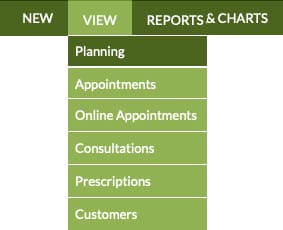
If you receive a new online appointment request, Gespet shows clear alerts so your team can review and manage it quickly.
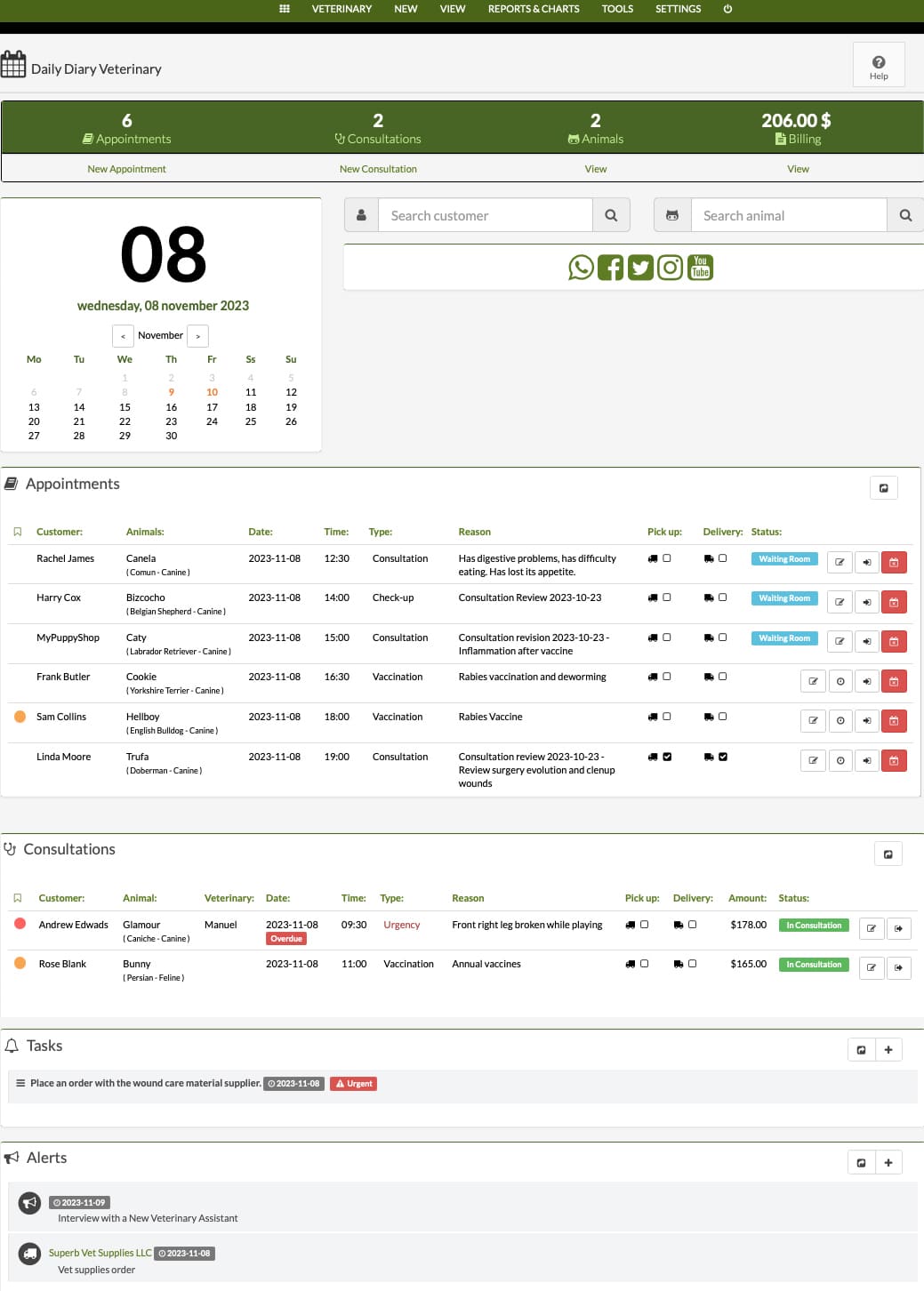
For the selected day, you can review scheduled appointments, completed services, the number of animals attended and the revenue generated by those services.
See more detailed information:
Click here See more detailed information about the veterinary softwareOn the same screen, your team can check today's events, pending tasks, priorities and reminders for clients, pets, suppliers or internal operations.
If you need to call a client next week, you can add a reminder and the software will show it on the selected day.
You can also review today's appointments and manage each veterinary visit directly:
Open an appointment to update its details.
Mark the client and pet as waiting when they arrive at the clinic.
Start the veterinary consultation from the appointment.
Cancel or reorganise the appointment when needed.